50+ NanoBanana Prompts for Studio-Grade E-Com Photos
Tired of cheap-looking AI product photos? Steal my personal cheat sheet of 50+ battle-tested NanoBanana prompts to generate studio-grade e-commerce assets.

I’ll be completely honest with you. When I first started trying to generate product images and marketing assets with AI, the results were depressing. My products looked like cheap, plastic, weirdly-lit AI garbage.
Meanwhile, I’d scroll through my feed and see other brands posting these insanely cinematic, high-converting product shots and thought, "What am I missing?"
It wasn't the AI model itself. It was how I was talking to it.
I’ve spent the last month doing nothing but battling the NanoBanana model—tweaking weights, testing lighting setups, and burning through API credits. Today, I’m open-sourcing my personal "treasure box."
If you want to master AI product photography, here is my curated collection of 50+ battle-tested NanoBanana prompts specifically designed for e-commerce and retail founders.
The Harsh Reality of Prompting
Most people treat AI like a mind reader. They type "A nice watch" and pray for a magazine cover. That’s exactly why their storefronts look amateur.
NanoBanana is an absolute visual beast, but it reads your prompt strictly based on a weight mechanism. The words you put in the first 75 characters matter the most. If you want professional results, you have to talk like a professional photographer.
Instead of "A nice watch," look at what happens when you use this:
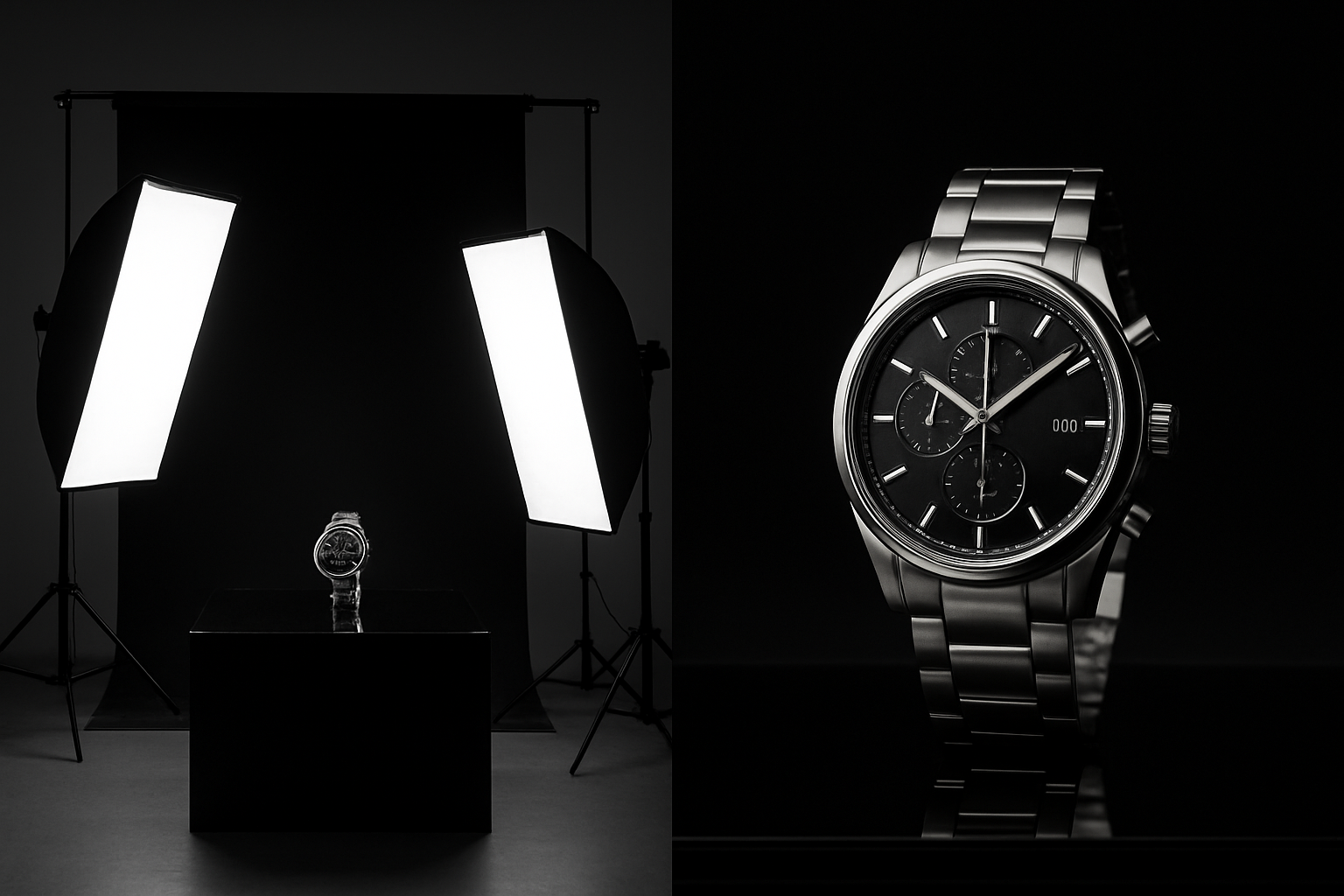
Place this luxury watch on a dark glass base, featuring rim lighting, while the studio environment uses premium high-contrast lighting.
The difference is night and day. You stop getting "AI art" and start getting commercial-grade photography.
The Golden Formula for NanoBanana
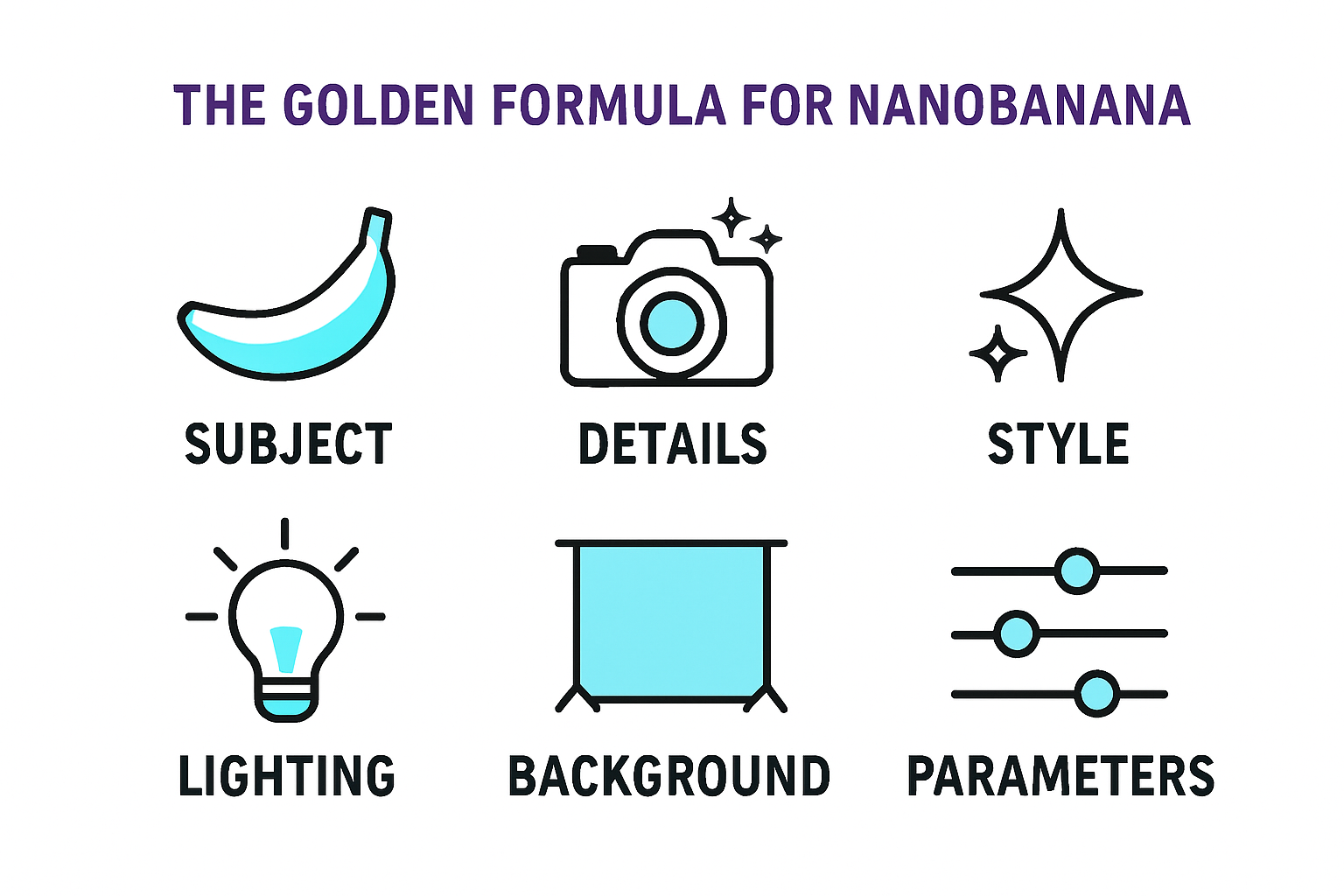
Before we dive into the giant list, you need to understand the underlying engine. You don't have to memorize 50 prompts if you know how to build them. After hundreds of tests, I found the repeatable formula that NanoBanana loves:
Subject + Details + Style + Lighting + Background + Parameters
Map out every single element. Stop letting the AI guess the lighting, and tell it exactly what studio setup you want.
My 2026 Secret Hack for Photorealism
Before I drop the full list, here is a cutting-edge trick I use to bypass that "fake AI" look.
At the very end of your prompt, add a digital camera's raw file naming convention, like: IMG_1234.RAW.
This specific text string subtly tricks the AI into generating incredibly photorealistic, unedited-looking outputs. It adds that slight, natural imperfection that builds immediate trust with online buyers.
The 50+ Prompt Arsenal
I’ve categorized these templates to cover every visual headache a store owner faces. Just swap out my product for yours.
1. E-Commerce Product Photography (The Bread & Butter)
Want that cozy, lifestyle vibe that sells on Instagram? Use these.
Jewelry & Necklaces: Showcase this necklace in a close-up beauty shot on a model, focusing on the jawline, collarbone, and the shine of the necklace, using soft cinematic lighting. IMG_1234.RAW
Luxury Watches: Place this luxury watch on a glass base, featuring rim lighting, while the studio environment uses premium high-contrast lighting.
Scented Candles (Lifestyle Vibe): The scented candle appears in a comfortable home environment, receiving warm sunlight and casting soft shadows on a wooden surface.
Wireless Earbuds (Clean Studio): The wireless earbuds appear in a modern e-commerce style photo against a light gray background, casting realistic and sharp shadows.
Skincare Lotions: The skincare lotion is placed on a natural stone surface, with window light creating a serene atmosphere featuring spa-inspired elements.
Gaming Mice (Tech Vibe): The gaming mouse is placed in a futuristic holographic space featuring glowing elements and metallic surfaces with a sleek design.
2. Studio-Level AI Photo Editing
Stop paying for expensive retouches. Use these to fix and enhance your existing shots.
Local Edit & Subject Optimization: Select and optimize only the main subject in the scene. Retain all edges while making details sharper and slightly modifying the shape without touching surrounding areas. Lighting and color elements should maintain their realistic appearance. The subject needs soft adjustments to pop out while keeping the overall image photorealistic.
Camera Angle Adjustment: Re-render the exact same scene from a semi-top-down perspective by moving the camera 15 degrees above the original position. Keep the lighting and color scheme consistent. Ensure the new angle shows realistic depth of field, shadows, and correct perspective.
Shift Focus / Depth of Field: Reframe the shot so the foreground object is razor-sharp, while background elements blend into a professional soft focus. Provide emphasis to the main subject via a shallow depth of field while retaining the original colors and lighting.
Cinematic Color Grading: Apply a sophisticated color grade inspired by contemporary cinematic styles. The image should feature soft teal shadows and warm highlights without affecting the natural look of skin tones. Add a subtle contrast enhancement for a clean, polished look suitable for a premium brand.
Time Shift (Day to Night): Transform the entire scene from a daytime setting into a realistic nighttime environment. Incorporate soft moonlight highlights, cool-toned shadows, warm artificial light sources, and subtle reflections. The overall atmosphere should create an immersive and authentic night experience.
Bokeh Effect Transformation: Keep the main subject absolutely sharp while transforming the background into a dreamy, soft bokeh. Use circular blur spots paired with warm tones and a soft glow to achieve a cinematic nighttime portrait effect.
3. Aspect Ratio Adjustments (Crucial for Ads)
Moving from a 1:1 Instagram square to a 9:16 vertical TikTok format usually ruins the framing. Don't let platforms crop your product awkwardly.
1:1 Aspect Ratio (Instagram Post): Change the aspect ratio to 1:1 by reducing the background. The main subject must maintain its absolute position and display without any changes.
(Use the same core prompt for these formats):
4:3 Aspect Ratio (Standard Web)
5:3 Aspect Ratio (Widescreen)
2.39:1 Aspect Ratio (Cinematic Widescreen)
4:1 Aspect Ratio (Ultra-Wide Banner)
9:16 Aspect Ratio (TikTok / Reels Vertical)
4. Brand Visual Design & Mockups
Make your brand look like a million bucks before spending a dime.
Basic Brand Kit: Generate a brand application kit for this logo, including a color scheme, recommended font pairings, basic icon variations, and a standard social media cover design.
Full Tech Startup Identity: Create a complete brand identity suite for a modern tech startup, containing all necessary elements including logo variations, color palette, typography selection, icon sets, design elements, and layout principles. The design must present a clean, futuristic, and minimalist aesthetic.
Professional Corporate Mockups: Create official brand mockups showcasing the logo applied to business cards, letterheads, envelopes, social media banners, and presentation slides. Use a soft, professional studio design style.
Youthful Brand Mockups: Design high-resolution mockups showcasing the brand applied to neon signs, packaging boxes, apparel, stationery, and stickers, using a vibrant and youthful design approach.
5. Multilingual Image Editing & Localization
Expanding your store globally? Do this to translate text without ruining your design layout.
Cafe Menu Translation: Translate all English content on this cafe menu board into Thai while preserving the original design elements and visual components perfectly.
Poster Language Swap: Translate all English text on this movie poster into Spanish while perfectly maintaining the original design elements, typography style, and text alignment.
Cosmetic Label Translation: Completely translate the English text on all cosmetic bottle labels into Chinese while keeping the unified design elements, icon placement, and spacing intact.
(Note: The full arsenal also includes frameworks for UI/UX wireframing, High-Converting Infographics, Wordmark Logos, and Math/Logical Reasoning visuals using the exact same detail-oriented formula).
🚀 The "Done-For-You" Shortcut (Why I Built Temvideo)
Here is the founder's reality check. Learning to engineer these prompts is a superpower, but it takes hours.
When you are running a store, dealing with suppliers, and managing customer service, you don't always have 3 hours to tweak the rim lighting on a candle prompt. You just need a video ad that sells right now.
This exact frustration is why I integrated the NanoBanana model directly into Temvideo under the hood.
I took the best structural formulas from these 50+ prompts and hardcoded them into our backend. Instead of wrestling with prompt engineering to get that perfect 9:16 aspect ratio or cinematic lighting for your TikTok ads, you simply upload your raw product photo to Temvideo.
The system automatically applies these pro-level NanoBanana visual standards to generate a high-converting, vertical video ad with voiceovers and scripts—in minutes.
Feel free to steal the full 50-prompt list above to run on your own setups. But if you are tired of typing prompts and just want the final marketing asset, throw a photo into [Temvideo] and let it do the heavy lifting for you.
Tags
Ready to get started?
Join TemVideo and start creating videos with thousands of creators
Start for Free