Stop Paying for AI Talking Photos: My No-BS Guide to Free Lip-Sync Tools
Hit a wall of paywalls? Discover the best way to make photos talk AI free online. No credit card required—just high-quality lip-syncing with Temvideo.

We’ve all seen those viral clips—great-grandpa’s grainy portrait suddenly blinking and telling a joke, or a historical figure reciting a modern meme. It’s mind-blowing tech, but if you’ve tried to do it yourself lately, you’ve probably hit a wall of "Free Trials" that require a credit card or wait times longer than a DMV line.
I’ve been digging through the same Reddit threads as you, looking for a way to experiment without the subscription fatigue. After testing a dozen "free" tools, I’ve found the best way to get results without getting ghosted by a paywall immediately.
Why Most "Free" Tools Actually Suck
The frustration is real. Most platforms in this space follow an annoying pattern:
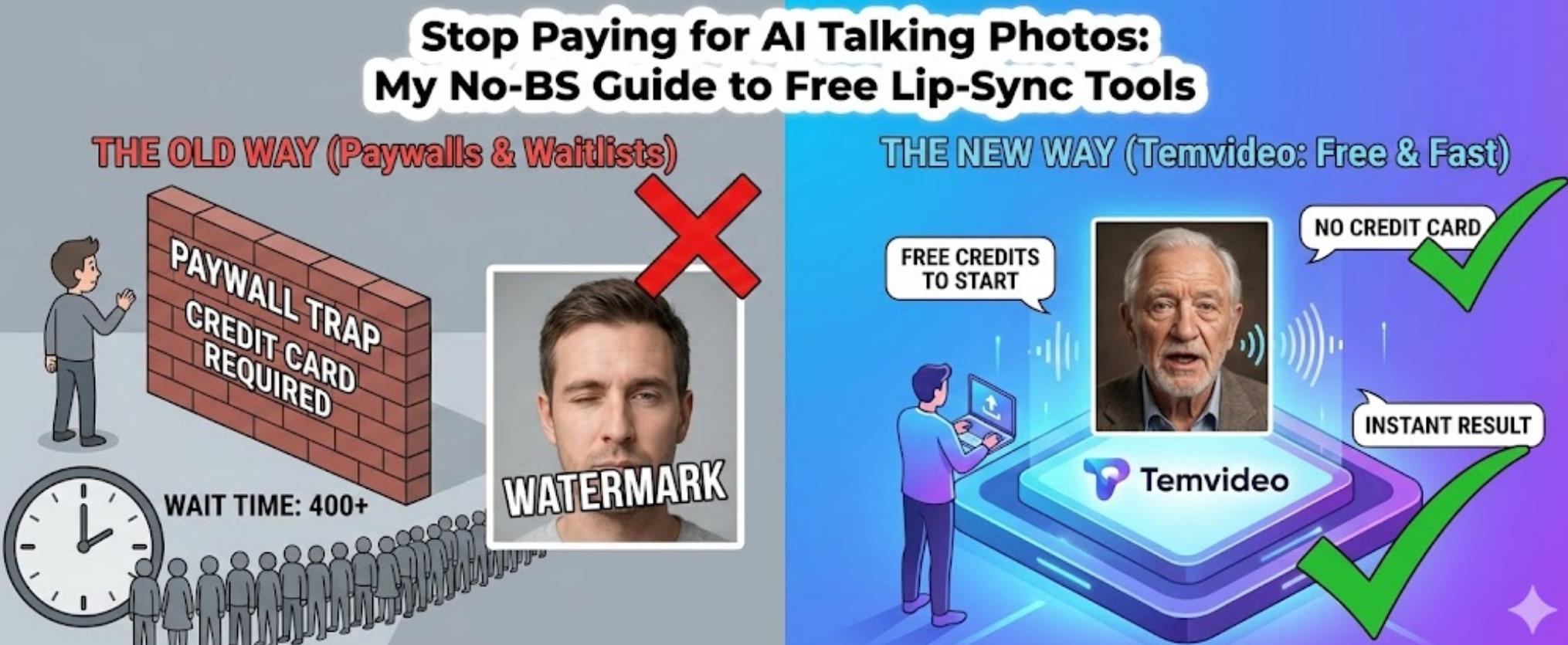
The Paywall Trap: "Free to try!" (but please enter your Visa details first).
The Watermark of Shame: A giant logo right over the face you just animated.
The Queue From Hell: 400 people ahead of you unless you "Go Pro."
If you’re just trying to animate an old family photo for a laugh, you shouldn't have to jump through those hoops.
My Top Recommendation: Temvideo
If you’re looking for the experience mentioned in those Reddit threads—where you just upload, type, and go—you need to check out Temvideo.
It’s the current "sweet spot" for the "make photo talk ai free online" crowd. Here’s the deal: it starts you off with free credits so you can actually see the results before they ask for a dime. According to deep dives into the tech behind AI talking heads, these models require massive GPU power, which is why most companies are so stingy with free access.
1. No "Credit Card Required" to Start
Unlike the big corporate tools, Temvideo lets you jump in and experiment with free credits upfront. It respects the "I just want to see if this works" mindset.
2. Fast Processing & No Waiting
The rendering speed is impressive. While some "free" sites put you in a low-priority queue that takes half an hour, Temvideo usually delivers your talking photo in a couple of minutes.
-c9jwhnwm.webp)
3. High-Quality Lip Syncing
The AI doesn't just "flap" the mouth; it actually matches the phonetics of your text. For the tech nerds out there, this involves complex Lip-syncing research where the AI maps audio features to 3D facial mesh movements.
The Reality Check: Keep in mind that while it's free to start, it's a "freemium" model. You get a set of credits to play with, but if you're planning to animate an entire family album, you'll eventually need to look at their paid tiers.
How to Actually Get Good Results (Don’t Skip This)
I’ve wasted so many credits on blurry photos. Don’t be like me. If you want it to look realistic:
Direct Eye Contact: If the person in the photo is looking away or in profile, the AI loses its mind. Stick to front-facing portraits.
Shadows are the Enemy: If half the face is in deep shadow (classic "dramatic" lighting), the mouth movements will look wonky.
Clean it up first: For those grainy 1940s photos, run them through an AI Image Upscaler before you upload to Temvideo. It makes a world of difference for the facial detail.
The 2-Minute Workflow
It’s pretty self-explanatory once you’re on the site, but here’s the path:
Find the AI Talking Photo tool on Temvideo.
Drop in your (hopefully high-res) portrait.
Type what you want them to say. Keep it short for the best lip-sync.
Hit generate and grab your video.
Frequently Asked Questions (FAQ)
Q: Is Temvideo completely free forever?
A: It uses a credit system. You get free credits to start, which is great for trying it out. For heavy usage, they offer paid tiers.
Q: Does it work on old black-and-white photos?
A: Yes! It’s actually one of the best uses for it. Just make sure the eyes and mouth are clearly visible.
Q: Is my data safe when I upload photos?
A: The site claims to follow GDPR privacy standards, which is the gold standard, but I always tell people: don’t upload anything you wouldn’t want a stranger to (potentially) see. That’s just "Internet 101."
Q: Can I use it on my phone?
A: Yep. It’s web-based, so it works in your mobile browser just as well as on a laptop.
Q: Will it work on grainy, old black-and-white photos?
A: It can, but the results vary. If the photo is too grainy, the mouth might look a bit "mushy." Try to use the clearest version you have!
Tags
Ready to get started?
Join TemVideo and start creating videos with thousands of creators
Start for Free